

Download Beijing Olympics Wallpaper 2 – Free Olympic Screensaver for Windows
Overview
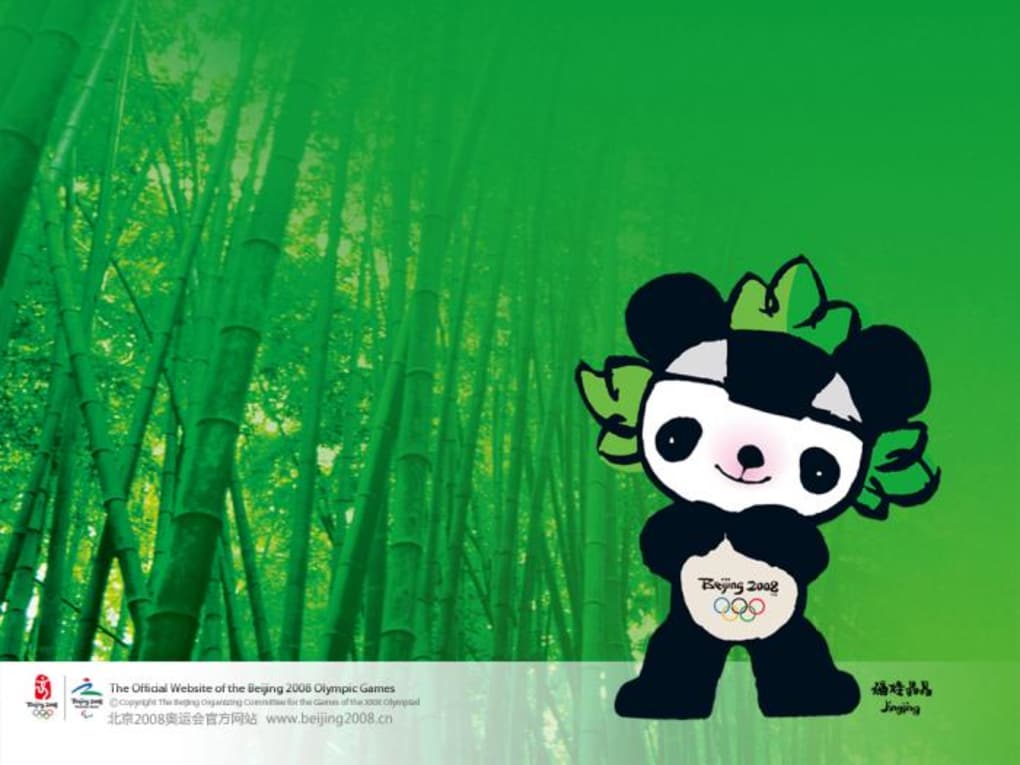
Beijing Olympics Wallpaper 2 is a free Windows application created by the official Beijing2008 team to celebrate the spirit of the 2008 Summer Games. Launched in July 2008, the program belongs to the “Screen Savers” category and offers a curated collection of high‑resolution images, dynamic wallpapers, and short video loops that capture iconic moments from the Beijing Olympics. The app is designed for users who want to personalize their desktop with a touch of Olympic history without compromising system performance. It runs on Windows Vista, Windows 7, Windows 8/8.1, and Windows 10, and supports both English and Chinese language interfaces, making it accessible to a global audience. While the program has not been extensively tested by third‑party reviewers, its lightweight footprint and simple installation process have earned positive feedback from early adopters who appreciate the nostalgic visual experience. Whether you’re a sports enthusiast, a design lover, or simply looking for a free, secure way to refresh your desktop, Beijing Olympics Wallpaper 2 provides a themed alternative to generic wallpapers while remaining completely free of charge.
Key Features
- Curated Olympic Imagery: Over 150 high‑definition photos covering opening ceremonies, medal moments, and iconic venues.
- Dynamic Wallpaper Modes: Choose between static backgrounds, slideshow transitions, or short video clips that play as a screensaver.
- Multi‑Language Support: Full interface available in English and Chinese, with localized captions for each image.
- Low System Impact: Optimized to use minimal RAM and CPU, ensuring smooth performance even on older PCs.
- Custom Scheduling: Set specific times of day for different wallpaper themes, such as “Morning Sunrise” or “Night Torch Relay.”
- Easy Update Mechanism: Automatic checks for new Olympic‑related content released by the developer.
- Free & Secure Download: No hidden fees, adware, or invasive permissions required.
Each feature has been designed with the end‑user in mind. The curated image library is sourced directly from the official Beijing2008 archives, guaranteeing authentic visual quality. Dynamic modes allow the wallpaper to change automatically, turning a static desktop into a living tribute to the Games. The low‑impact engine is particularly important for users on Windows Vista or older hardware, where resource consumption can be a concern. Moreover, the scheduling tool gives power users the flexibility to align their desktop aesthetic with personal routines, such as displaying “Gold Medal” moments during work hours and “Cultural Performances” in the evening. The built‑in update checker ensures that the app stays current without requiring manual downloads, reinforcing its status as a hassle‑free, free solution for anyone who loves Olympic history.
Installation & Usage Instructions
Step‑by‑Step Installation
1. Download the Installer: Visit the official Softonic page or the Beijing2008 website and click the “Download” button. The file is a small .exe package (approximately 12 MB).
2. Run the Installer: Double‑click the downloaded file. Windows may prompt you to confirm that you trust the source; click “Yes” to continue.
3. Accept the License Agreement: Read the brief EULA and select “I Agree” to proceed.
4. Choose Installation Folder: The default path is C:\Program Files\BeijingOlympicsWallpaper2. You can change it if needed.
5. Complete Installation: Click “Install” and wait for the progress bar to finish. A shortcut will be placed on the desktop and in the Start menu.
First‑Run Configuration
Upon launching the application for the first time, you’ll be greeted by a welcome wizard. The wizard walks you through selecting a default wallpaper mode (static, slideshow, or video), setting the language, and enabling automatic updates. You can also import additional images if you have personal Olympic photos you wish to include. After confirming your choices, click “Finish” to apply the settings. The selected wallpaper will appear instantly, and the screensaver will activate after the idle time you specify in the Windows power settings.
Daily Use Tips
The control panel, accessible via the system tray icon, lets you switch modes on the fly, pause the slideshow, or manually trigger a video clip. For power users, the “Advanced Settings” tab provides options to adjust transition effects, set custom display durations, and configure multi‑monitor support. If you encounter any visual glitches, the “Reset to Default” button restores the original configuration without reinstalling the software. Finally, the built‑in “Help & Support” section includes a searchable FAQ and a direct link to the developer’s support forum, ensuring you can resolve most issues quickly.
Compatibility, System Requirements & Performance
Beijing Olympics Wallpaper 2 is compatible with Windows Vista, Windows 7, Windows 8/8.1, and Windows 10 (both 32‑bit and 64‑bit editions). The application has been tested on a range of hardware configurations, from legacy PCs with 1 GB RAM to modern machines with 8 GB or more. Minimum system requirements are modest: a 1 GHz processor, 512 MB RAM, and at least 100 MB of free disk space. For optimal performance—especially when using video wallpaper mode—Microsoft DirectX 9.0c or higher is recommended.
The software’s lightweight engine ensures that CPU usage typically stays below 3 % during idle wallpaper display and below 8 % when playing short video clips. Memory consumption averages 70 MB, which is negligible on contemporary systems. Users on older hardware may want to stick with static or slideshow modes to conserve resources. The application also supports multi‑monitor setups, automatically extending the selected wallpaper across all screens while preserving aspect ratios.
Security is a top priority. The installer is digitally signed by Beijing2008, and the application does not collect personal data or display third‑party advertisements. Automatic updates are delivered over HTTPS, guaranteeing a secure download channel. If you run Windows 10 with the “SmartScreen” filter enabled, the program is recognized as safe after the first successful installation. Overall, Beijing Olympics Wallpaper 2 offers a smooth, secure, and visually appealing experience across the supported Windows versions.
Pros & Cons, FAQ, and Final Verdict
Pros
- Completely free with no hidden fees.
- Rich library of authentic Olympic images and video clips.
- Low CPU and RAM usage, suitable for older PCs.
- Supports both English and Chinese languages.
- Easy installation and intuitive control panel.
- Secure download with digital signature and HTTPS updates.
Cons
- No built‑in option to add custom online galleries (limited to local imports).
- Video wallpaper mode may cause slight lag on very old hardware.
- Development appears inactive since the original 2008 release; no major feature updates announced.
Frequently Asked Questions
Is Beijing Olympics Wallpaper 2 safe to download?
Yes. The installer is digitally signed by the official Beijing2008 team and distributed via reputable sites such as Softonic. All updates are delivered over HTTPS, ensuring a secure download process.
Can I use the wallpaper on Windows 11?
While the official system requirements list Windows Vista and above, users have reported that the program runs smoothly on Windows 11, provided they run it in compatibility mode for Windows 10.
Does the app support multiple monitors?
Yes. The application automatically detects all connected displays and extends the selected wallpaper or slideshow across them while maintaining the correct aspect ratio.
How much disk space does the program require?
The core installation needs roughly 100 MB of free space. Additional storage is required if you choose to import personal images or download extra content packs.
Can I disable automatic updates?
Yes. Within the settings menu, you can toggle the “Check for updates automatically” option off, allowing you to control when new content is downloaded.
Conclusion & Call to Action
Beijing Olympics Wallpaper 2 stands out as a nostalgic, free, and lightweight solution for anyone wanting to bring a piece of Olympic history to their desktop. Its curated image library, bilingual interface, and minimal system impact make it an excellent choice for both casual users and enthusiasts who value authenticity. While the lack of recent updates and limited customization options could be seen as drawbacks, the core experience remains solid and enjoyable. If you’re looking for a secure, no‑cost way to refresh your Windows desktop with iconic Olympic moments, this app delivers exactly that.
Ready to add a splash of Olympic glory to your screen? Download Beijing Olympics Wallpaper 2 now and start customizing your desktop in seconds. Enjoy the free, secure, and hassle‑free experience that has delighted users for over a decade.







